Three products, one design question
A moving logistics app. An AI video generator. An HR employee directory. Three different products, three different industries.
Looking across them, the UX challenge in each was identical: the system held critical information the user needed before they could make a good decision — and the interface wasn't surfacing it.
The pattern: information asymmetry
In each product, the same structural problem appeared in a different form:
- Moving app: the user has no idea how much cubic space their belongings occupy, what that means in vehicles and crew — or what the move will cost.
- AI video generator: the user doesn't know if their uploaded content will produce a good video until they spend credits finding out.
- HR directory: the manager doesn't know if their search will return useful results until they submit it.
The design problem in all three: when and how do you surface what the system already knows?
Moving app: making logistics legible in real time
The core user frustration was familiar: European households planning a move spend days in email threads with moving companies, describing their belongings, waiting for a quote, discovering the quote was wrong because they forgot about the wardrobe.
The solution: a room-by-room inventory builder where the logistics summary updates in real time. Add a sofa, see weight and volume adjust. Add a second bedroom, see the van count update. By the time you reach checkout, nothing is a surprise.
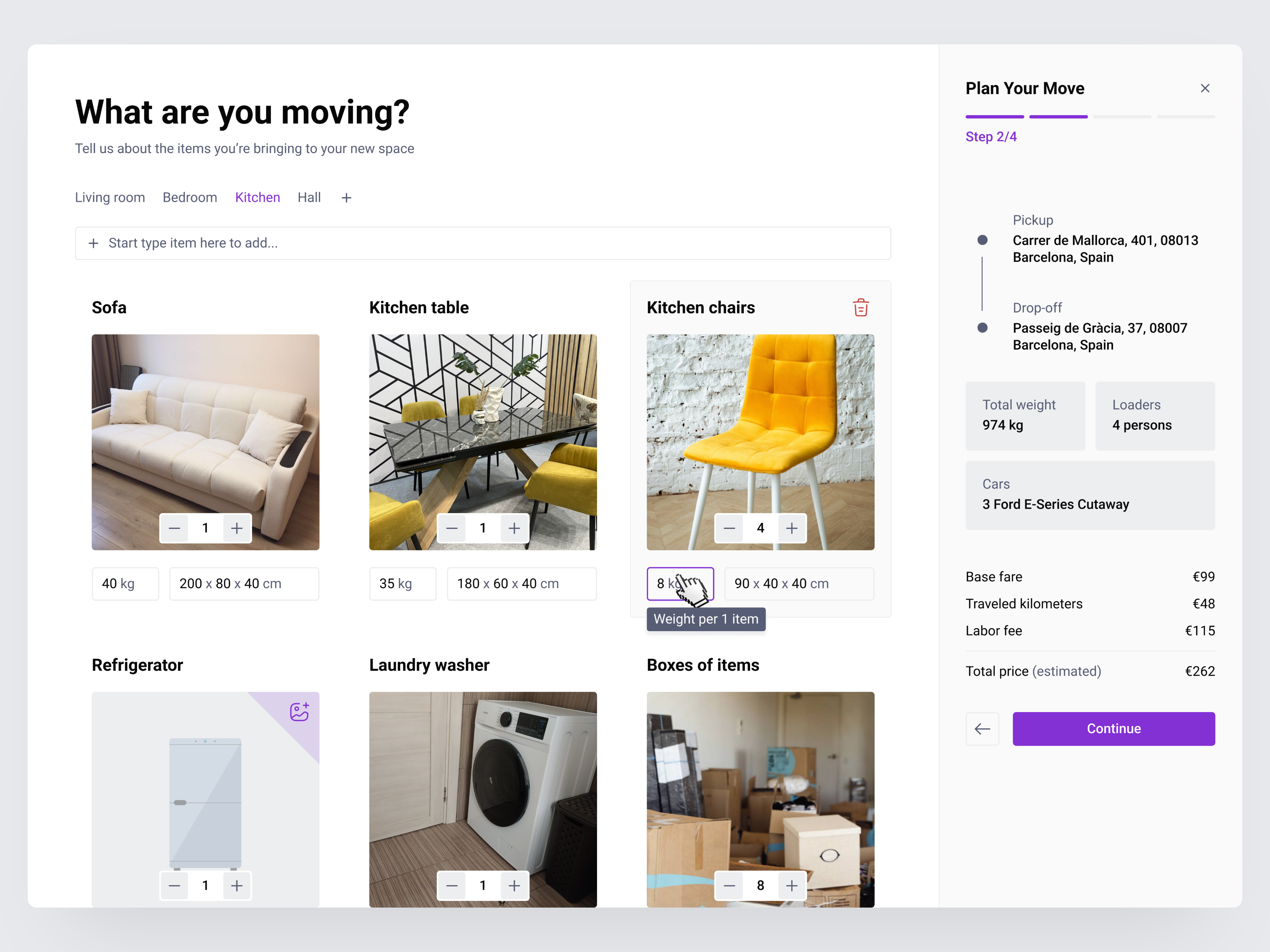
Three decisions worth defending:
Rooms as tabs, not a flat list. People think about their belongings spatially. "What's in the kitchen" is a coherent mental model; "all items sorted alphabetically" is not.
Inline +/- counters. Drag-and-drop or input fields for quantity add friction with no benefit when you're adding three chairs.
90% of items covered without requiring dimensions. The database fills in standard measurements automatically. The user who has to look up "what are the standard dimensions of a European single bed" loses momentum and stops trusting the process.
The natural next step: AI photo recognition to populate a room's inventory automatically. Point your phone at the living room, get a list back. The manual version proves the concept; the AI version makes it fast enough to change the industry default.
AI video generator: designing for failure before it happens
The challenge: how do you design a multi-step AI workflow where failures are expensive — in credits, in processing time, in user trust?
The instinct is to optimize the happy path. Get from upload to finished video as fast as possible. The problem: if the flow breaks halfway through, the user has paid the full cost of the journey for nothing.
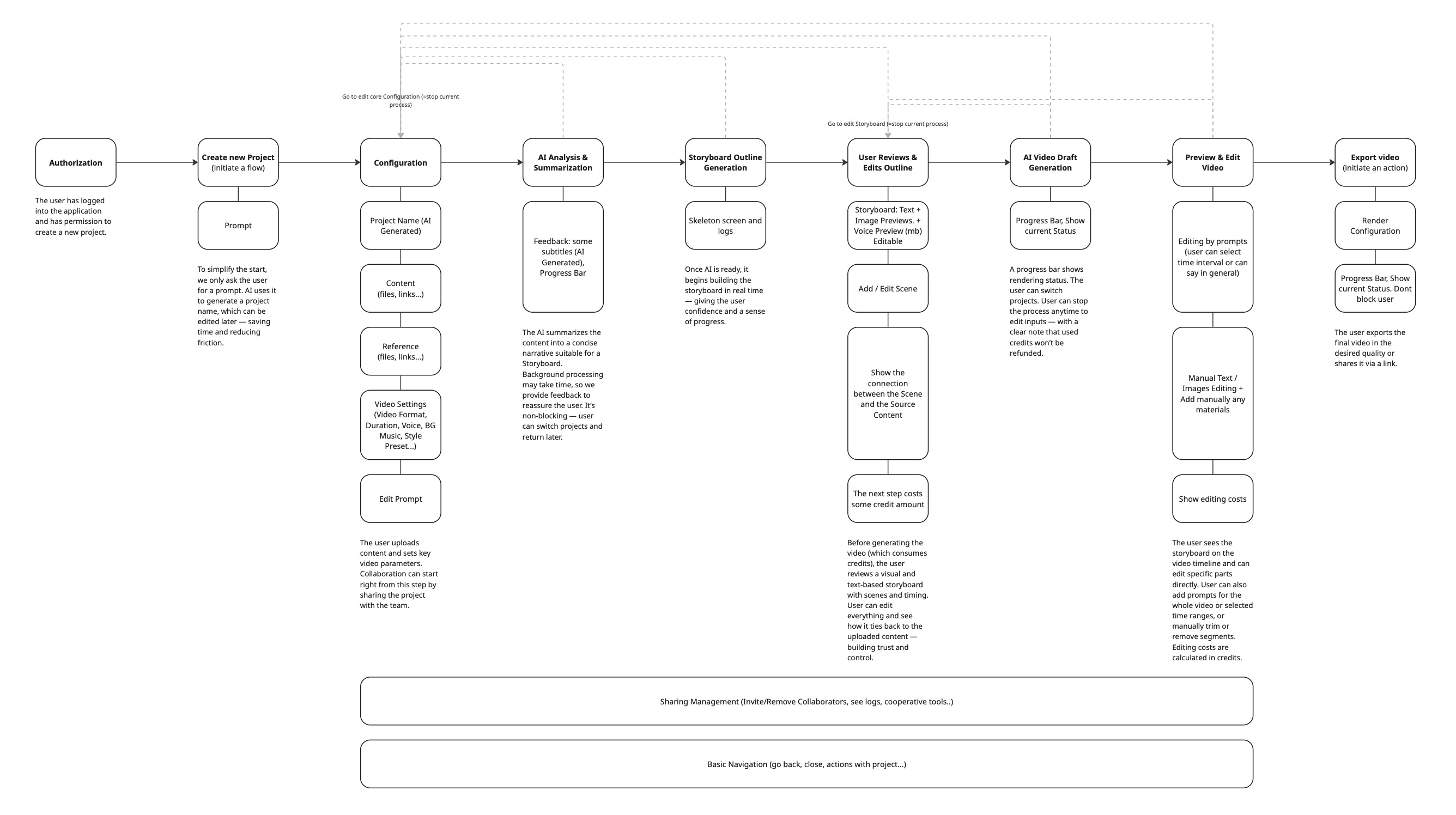
The better structure: validation gates at every point where the system knows something the user doesn't.
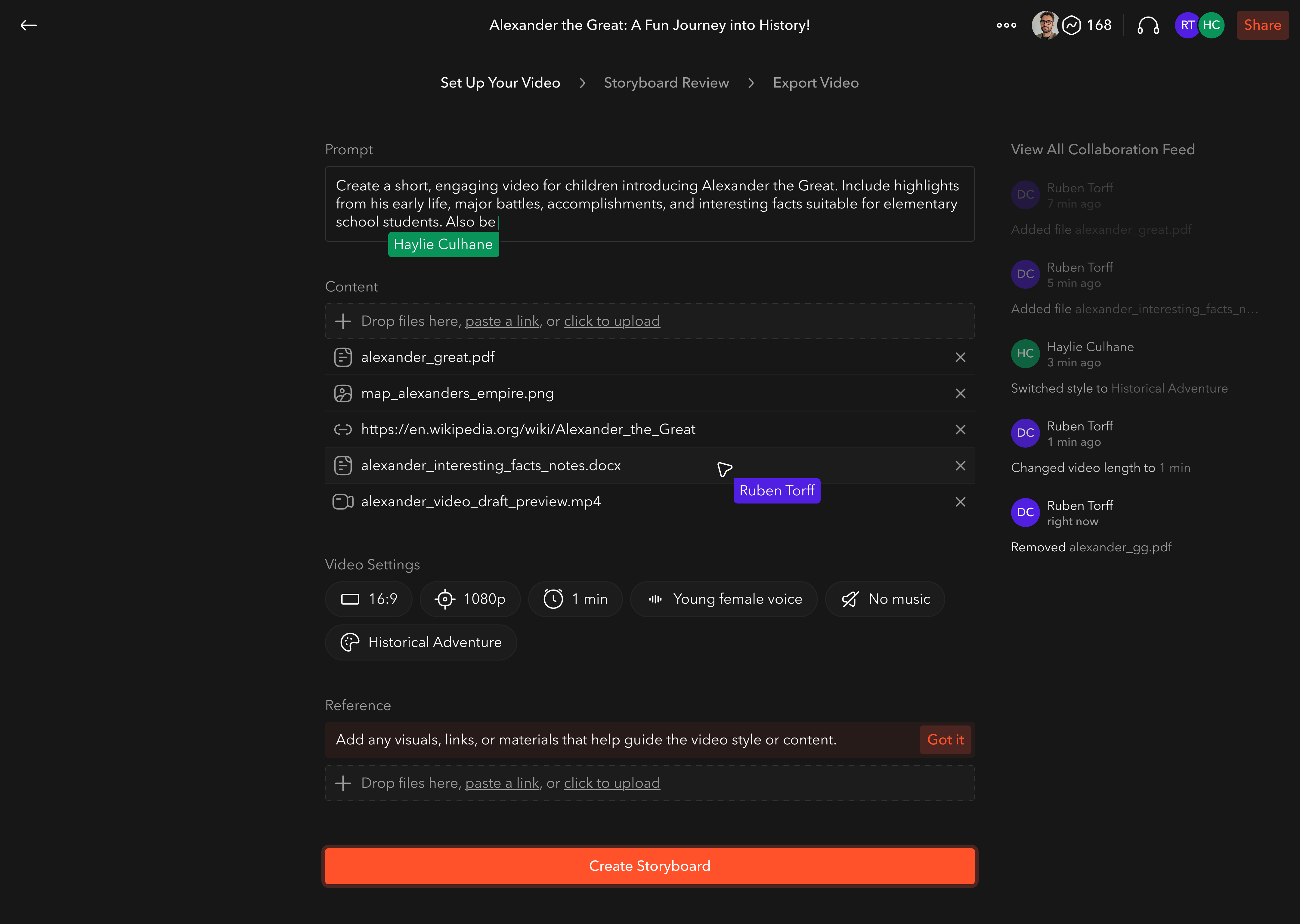
Content validation before upload begins. If the source material won't generate coherent video, surface that before any processing starts.
Outline review after the AI generates the scene structure. The cheapest intervention point — edit a scene title before it becomes a rendered clip.
Voice and style previews before credit consumption. Thirty seconds of preview prevents paying for a video in the wrong tone.
Progressive storyboard generation with pause/edit. No need to commit to a full render to check if the direction is right.
The edge case worth the most attention: collaboration conflicts. Two team members editing the same video simultaneously. Live presence indicators, clear permission states, explicit handoff moments. The feature that looks like a nice-to-have becomes a trust problem the moment two people try to use it at once.
HR directory: search as a conversation
The brief: redesign the employee search in an internal HR platform so managers can find people and trigger bulk actions without navigating away.
The existing pattern — separate fields for name, department, role, location — assumed the manager knew exactly what they were looking for. Real searches don't work that way.
"I need the three engineers who joined in the last six months in the Berlin office" doesn't fit into four filter boxes without first requiring the manager to decompose their own query into categories. That decomposition is work the interface should be doing.
A unified search field that parses names and attribute filters in a single pass changes the dynamic. Type "berlin engineering 2025" and the system interprets it, surfacing results and suggestions as you type. The search becomes more like a conversation — you can discover that there are twelve partial matches before committing to a specific filter set.
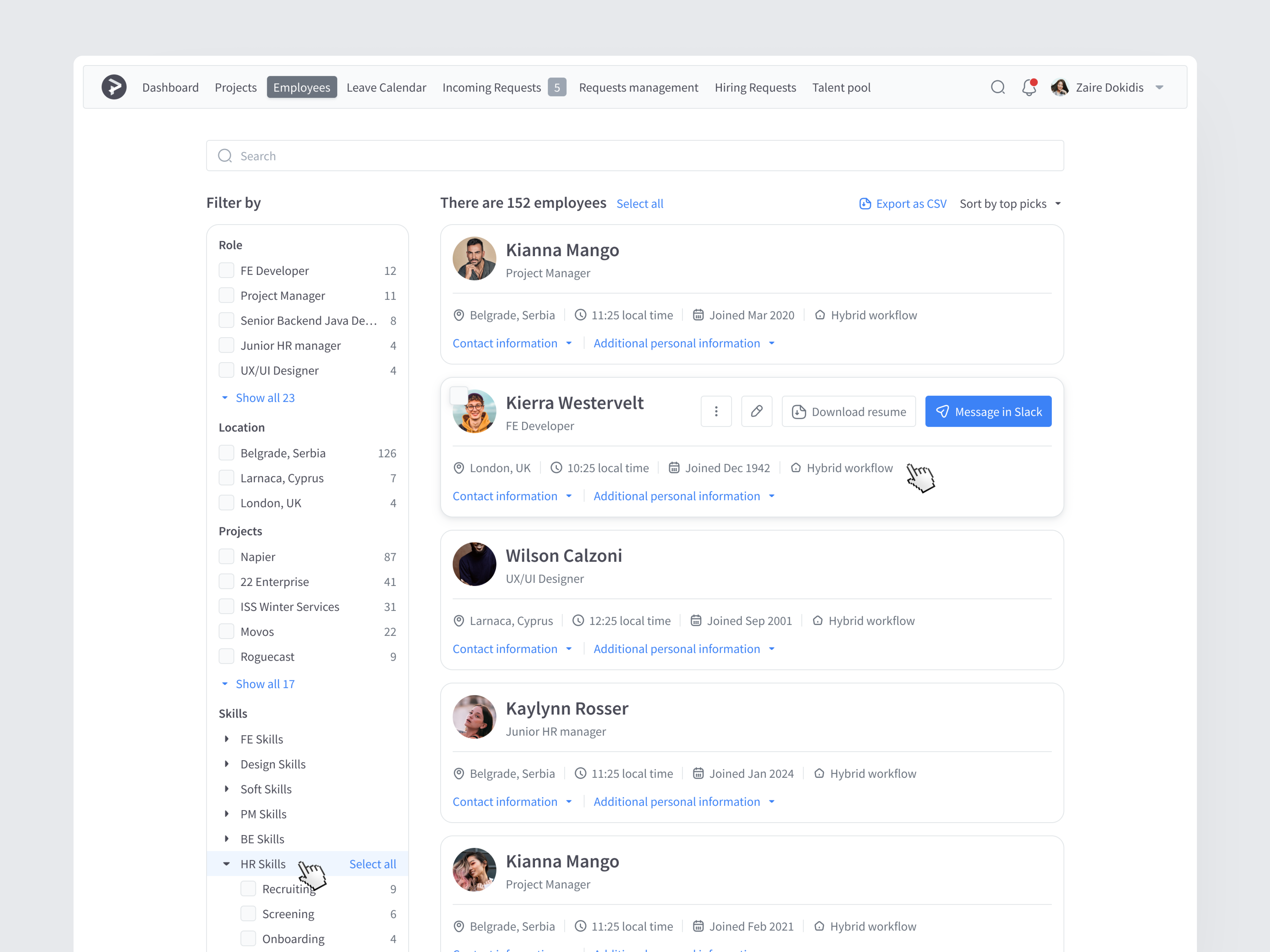
The bulk action flow: once you've selected employees, the action initiates from the same view. No modal navigation, no context switch. The reduction in clicks matters less than the reduction in cognitive overhead.
Why this pattern keeps appearing
The common thread isn't about a specific interaction pattern or visual treatment. It's about when information gets delivered.
In each of these products, the legacy design asked the user to commit first and learn later. The moving app quoted after the call. The video generator billed before the preview. The HR search returned nothing without a perfect query.
Reversing that sequence — surfacing what the system knows before the user commits — is the design intervention. Everything else is implementation detail.